
Claude Code デスクトップアプリ · Mac・Linux・Windows
エージェントが出社する Claude Code デスクトップアプリ。
Uncanny Office は、あなたのマシン上の各 Claude Code セッションを、デスクに座るピクセルアートの作業員に変えます。どのセッションのターミナルもリモートで開き、誰が作業中か・返答待ちかを把握し、繰り返し作業をスケジュール化し、すべての AI エージェントを一つのウィンドウから見守れます。
7 日間無料 · その後は早期アクセスの買い切り、サブスクなし · アカウント不要、クラウド不要

One app on every machine
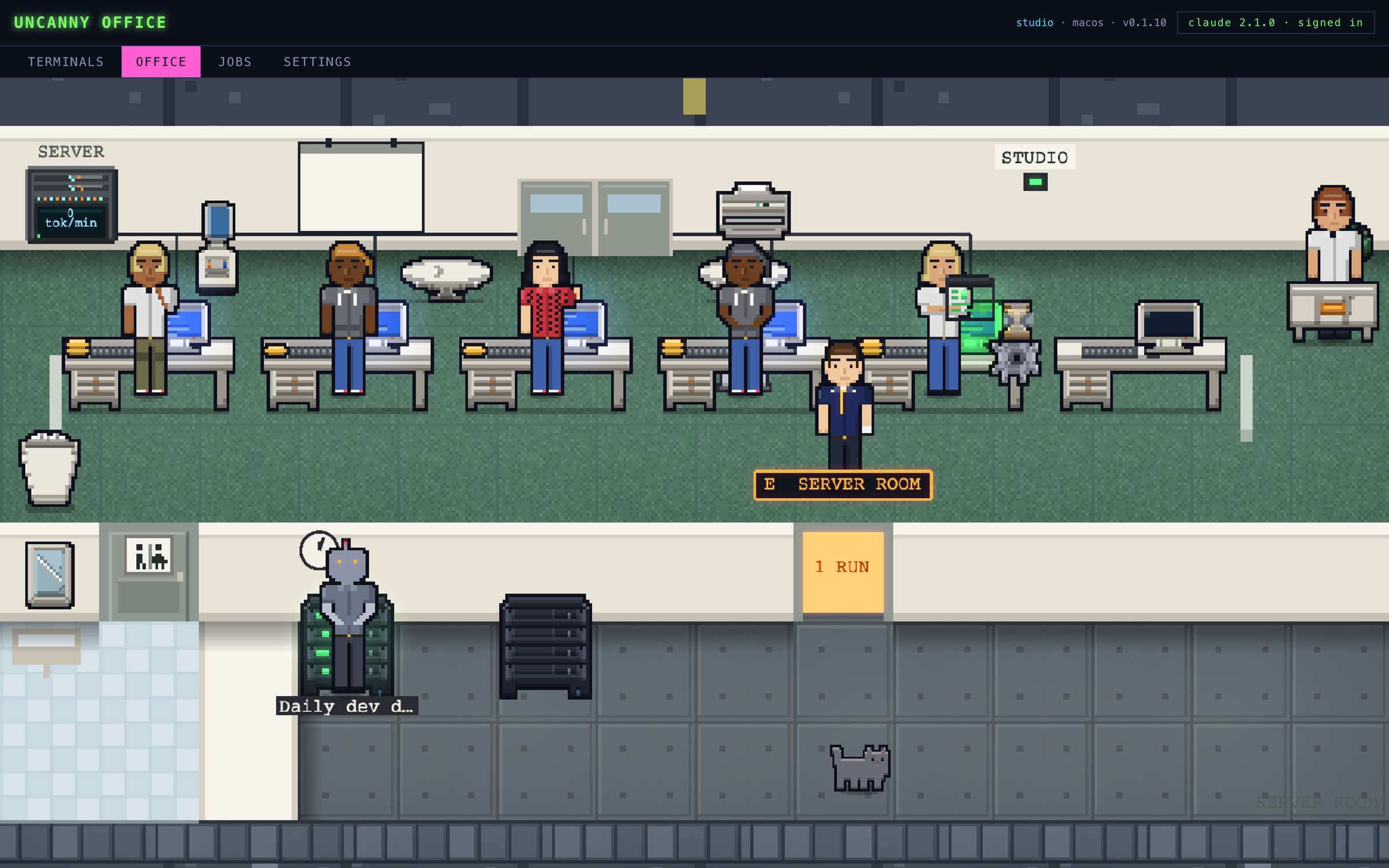
Everything your sessions are doing, on one floor.
Terminals
A real terminal on every device
Open a shell or a Claude session on any of your machines, from any of your machines. Watch a session running in another window, or take it over. Drop files in to type their paths.
Office
A pixel-art room of workers
Each live session sits at a desk: typing while busy, reading while idle, waiting when it needs an answer. Three looks: Uncanny Valley, Classic and Midnight.
Jobs
Jobs on a schedule
Repeat work on a cron schedule: a prompt, an optional prefetch script, a model, a turn cap, and where the result goes. Set them up by hand or ask any Claude session. They keep running from the menu bar with the window closed.
Pairing
No server to host
Every device runs the app itself. Pair them with a code over your own network, then run terminals and jobs on any of them from one window. There is no account and no cloud backend.
Your plan
Runs your own Claude Code
The app launches the official claude CLI and lets Anthropic sign you in. It never sees your password, keys or tokens. Missing Claude Code? It installs it for you.
Close-up
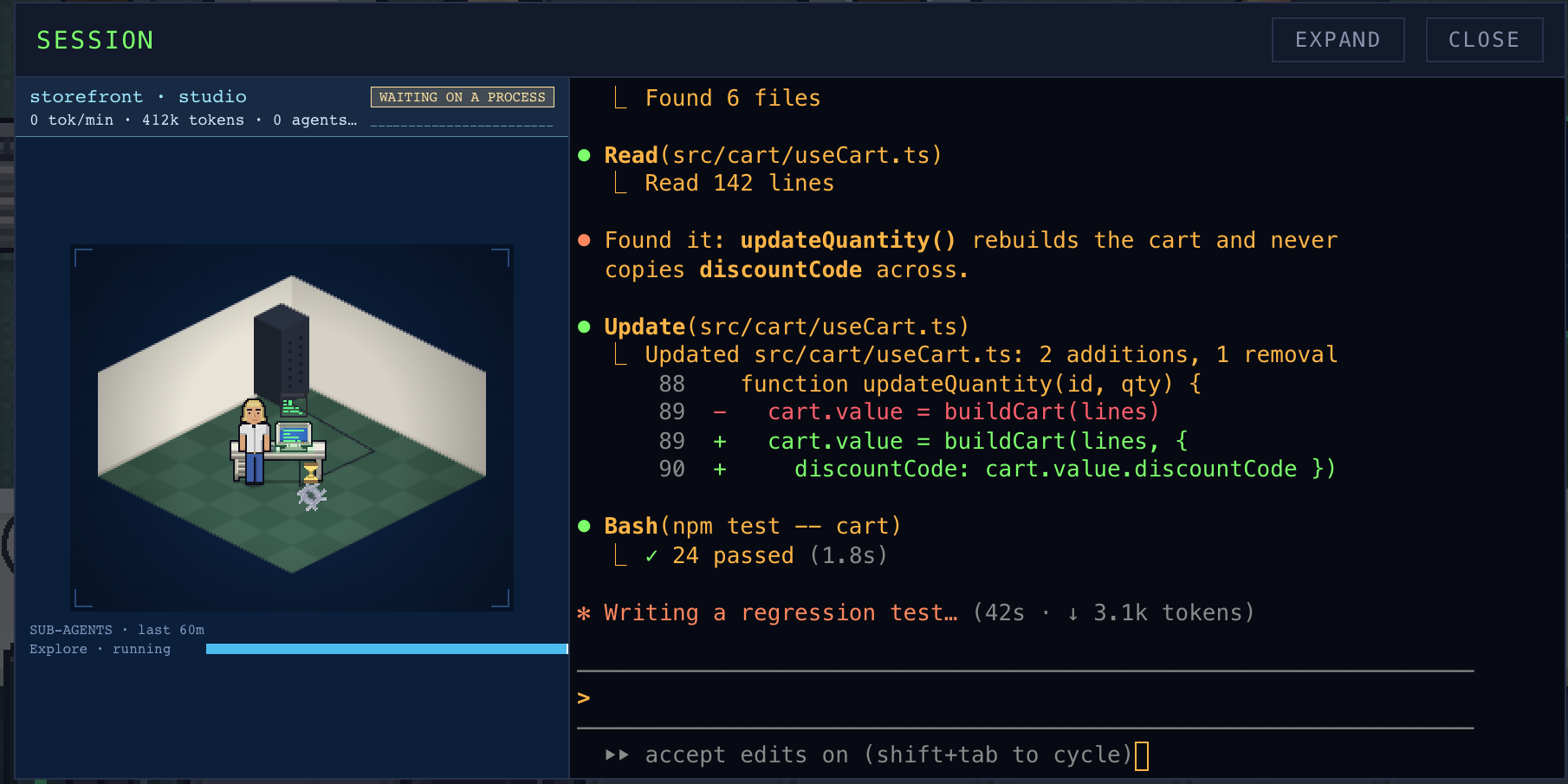
Step into a session
Click a worker to open its terminal beside a live diorama of its desk: tokens, sub-agents and what it is waiting on. Expand it to fill the window.
Live demo · nothing to install
Take the office for a spin.
This is the real app running in your browser against a made-up office. Click a worker to open their session, read a terminal, look through the jobs. Nothing here touches your computer.
Made-up sessions on made-up machines. Open it full screen ↗
Click a worker. Get its terminal.
The close-up opens the session right over the office: its real terminal on one side, its desk on the other, with tokens, sub-agents and what it is waiting on. Type into it, or watch one that is running in another window and take it over.
Pick a look.
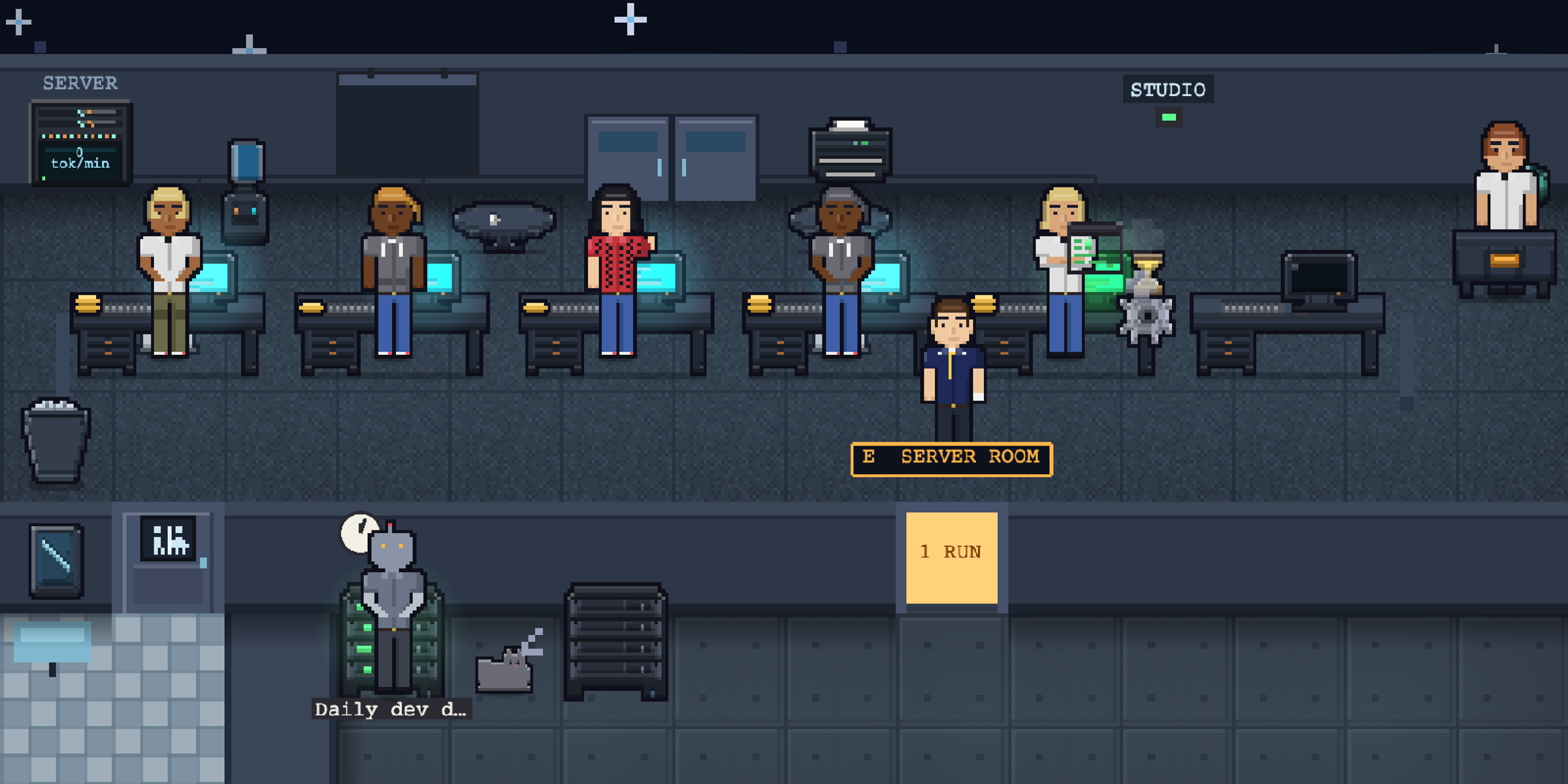
Choose Uncanny Valley, Classic or Midnight. Each one changes what goes by outside the windows: a city street, an underground line or a field of stars.
Early-access price · one-time purchase
Buy it once. Keep it.
$20
Uncanny Office is in beta. The early-access price gets you every beta build now and 1.0 when it ships, on one license key for your devices. It goes up at launch. No subscription, no seat fees.
- macOS, Windows and Linux apps
- One key for up to 2 of your computers
- A 7-day free trial on every install
- Every beta build, then the 1.0 release
- Every 1.x update after that
- Email support
Secure checkout by Stripe. Your key arrives by email and on the next screen.