
Claude Code scheduled tasks
Put Claude Code on a schedule.
Uncanny Office runs Claude Code jobs on a schedule, like cron for Claude: a prompt, an optional prefetch script and a model, run at the times you choose, with the result sent to a desktop notification or Slack. Jobs keep running from the menu bar with the window closed.
Free for 7 days · Mac, Windows and Linux
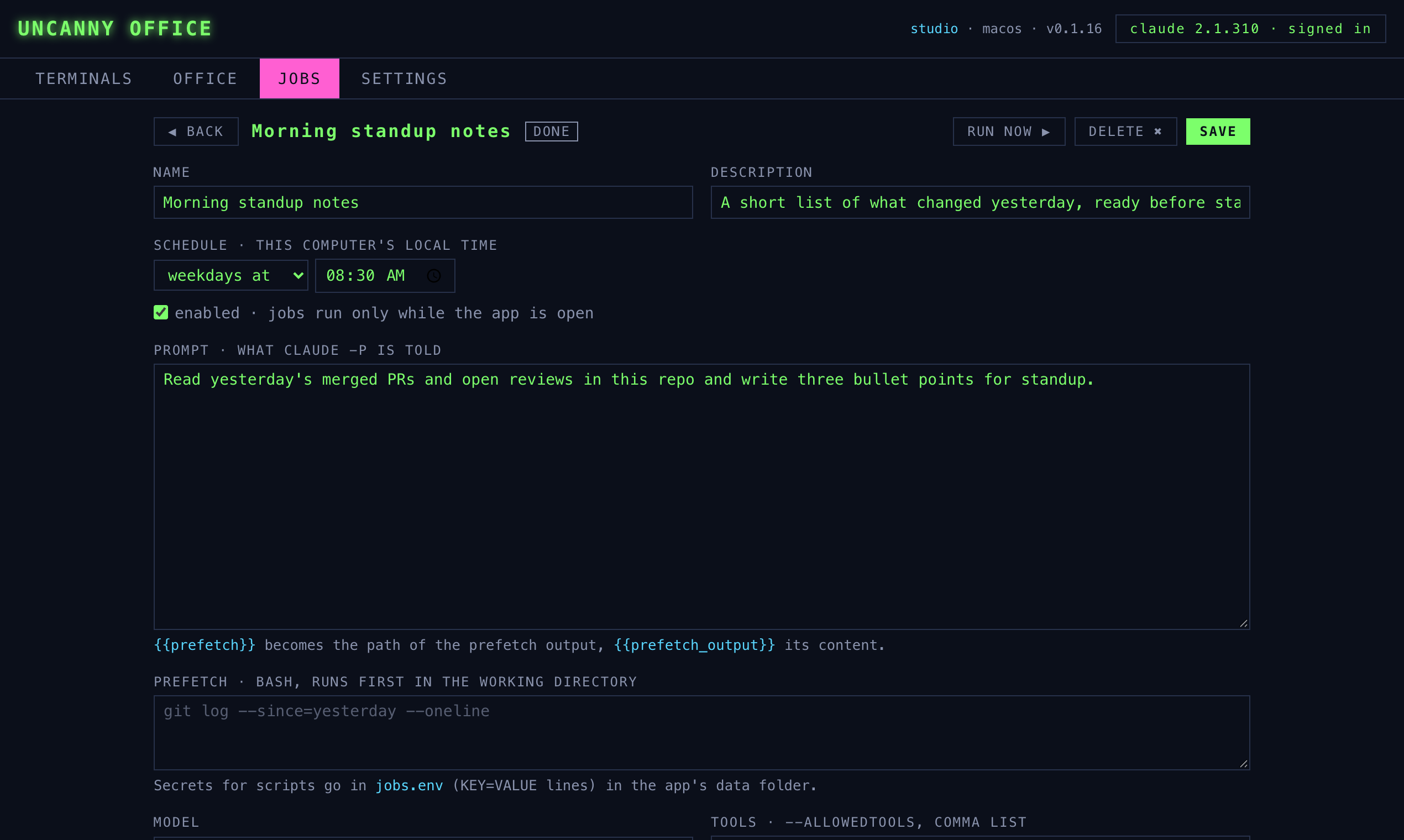
What a job is
Cron for Claude Code, without the plumbing.
You could wire claude -p into a crontab yourself. A job does the same work and adds the parts you would otherwise build: a prefetch step, delivery, a run history and a server rack in the office that lights up while it runs.
Schedule
Plain words like "weekdays at 08:30", or a five-field cron expression, in your computer's local time.
Prompt
What Claude is told. Each run is claude -p in the job's folder, so it can read and work on that project.
Prefetch
An optional bash script that runs first, such as git log --since=yesterday. Its output is handed to the prompt.
Model & limits
Pick the model, cap the number of turns and choose which tools the run is allowed to use on its own.
Delivery
The result arrives as a desktop notification, in a Slack channel, or both. A result of NO_REPORT stays quiet.
History
Every run is kept with its output, so you can read what Claude did, run a job now, or switch it off.
Ideas
Scheduled tasks worth handing to Claude.
Morning standup notes
Read yesterday's merged pull requests and open reviews, and write three bullet points for standup.
Dependency updates
Every Monday, check for outdated packages and summarise which updates matter.
Nightly link check
Crawl your site for broken links overnight and report only when it finds some.
Inbox triage
Every hour, sort new email and post the ones that need you to Slack.
Ask any Claude session to set one up.
Jobs can be made by hand in the Jobs tab, or by asking Claude: the app adds a Claude Code tool for adding, running and switching jobs on. New jobs start switched off, and any job that can run scripts, use tools or post to Slack waits for you to approve it once.
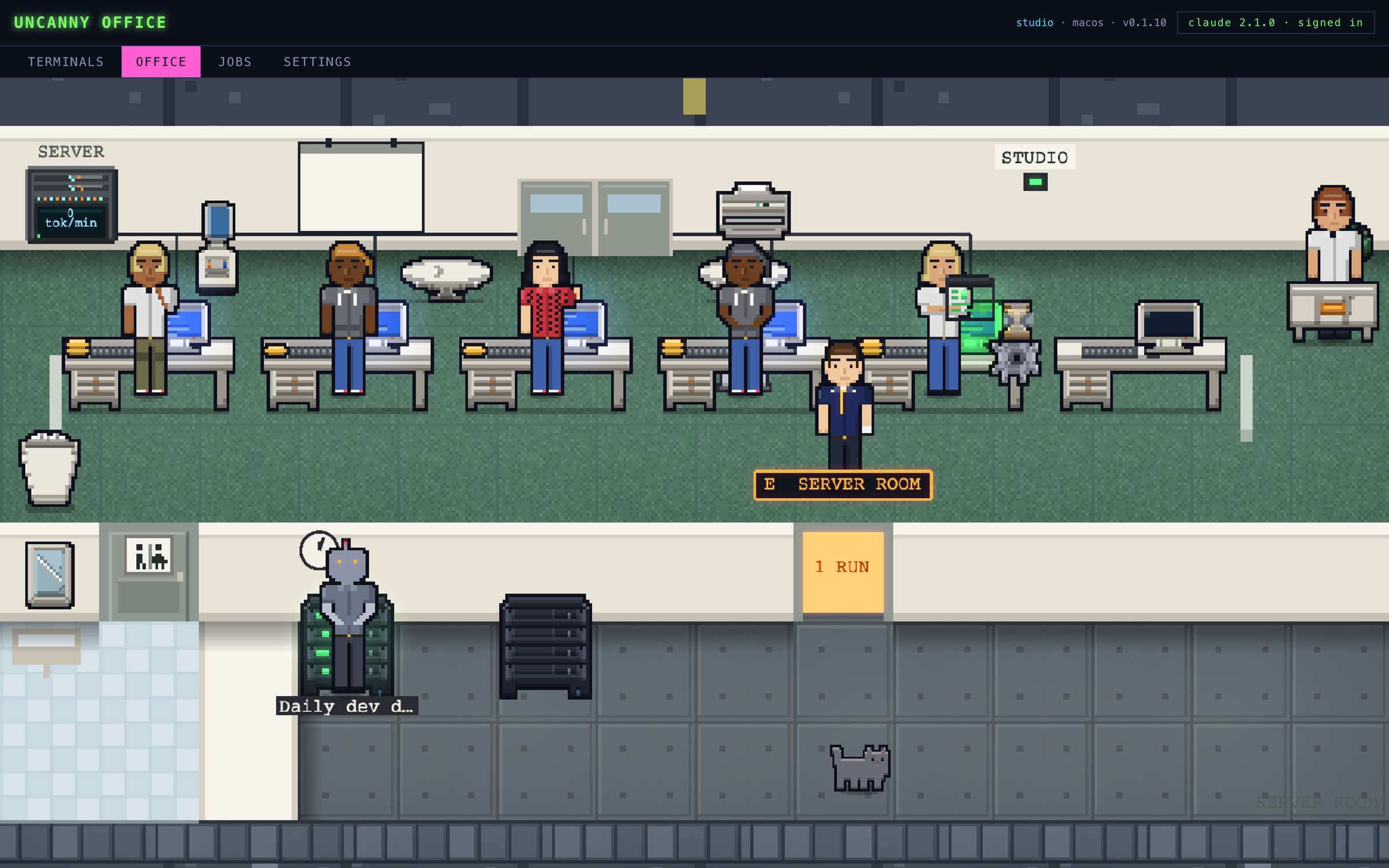
Live demo · nothing to install
Take the office for a spin.
This is the real app running in your browser against a made-up office. Click a worker to open their session, read a terminal, look through the jobs. Nothing here touches your computer.
Made-up sessions on made-up machines. Open it full screen ↗
Early-access price · one-time purchase
Buy it once. Keep it.
$20
Uncanny Office is in beta. The early-access price gets you every beta build now and 1.0 when it ships, on one license key for your devices. It goes up at launch. No subscription, no seat fees.
- macOS, Windows and Linux apps
- One key for up to 2 of your computers
- A 7-day free trial on every install
- Every beta build, then the 1.0 release
- Every 1.x update after that
- Email support
Secure checkout by Stripe. Your key arrives by email and on the next screen.