
Multiple Claude Code sessions
Run multiple Claude Code sessions without losing track.
Running parallel agents is the fastest way to work with Claude Code, until one of them sits waiting on you for twenty minutes. Uncanny Office shows every session as a worker in one office, so you can see who is busy, who is stuck and what every sub-agent is doing.
Free for 7 days · Mac, Windows and Linux
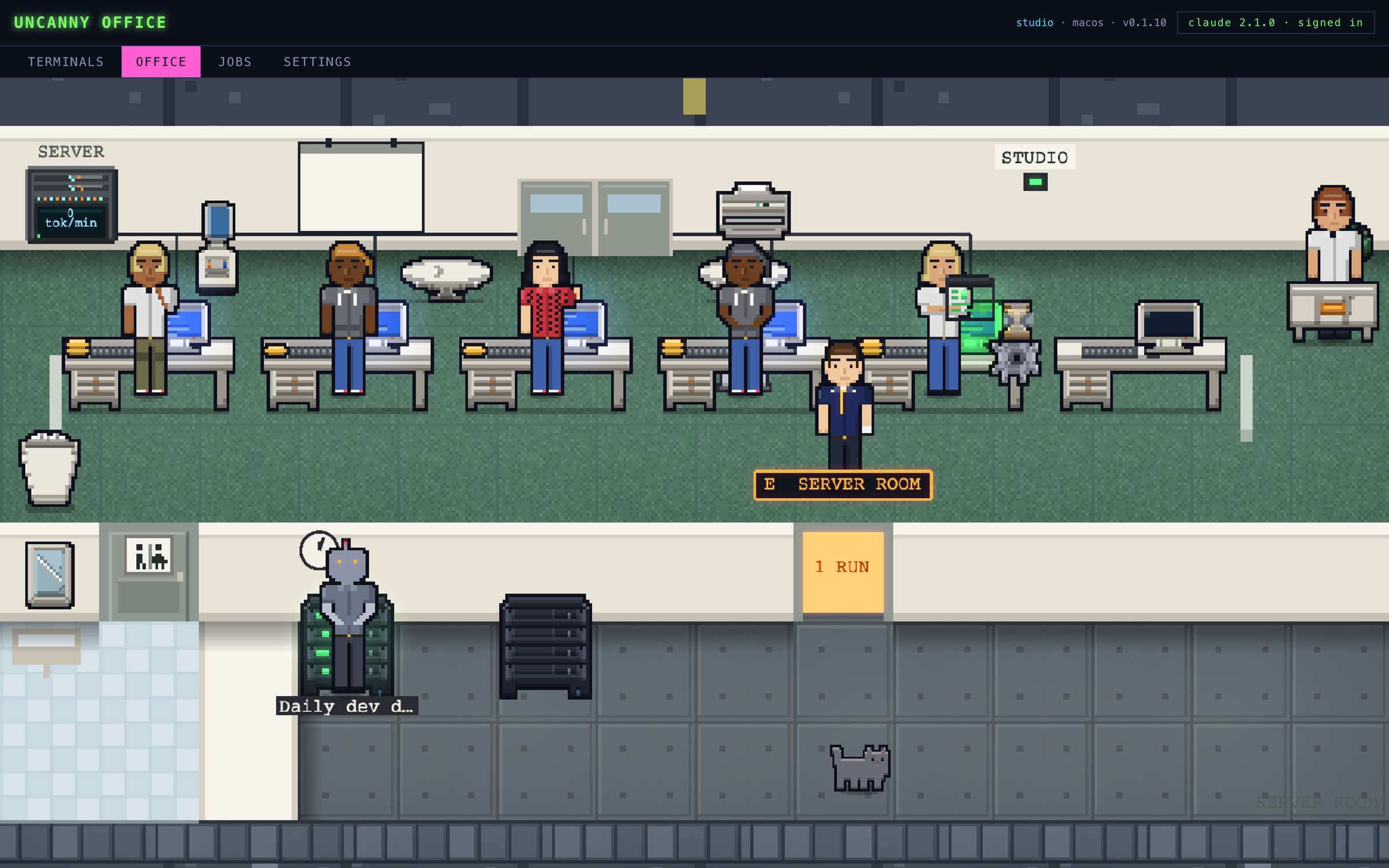
One look tells you everything
Every session's state, at a glance.
A wall of terminal tabs all looks the same. In the office, each Claude Code session shows what it is doing with its whole body.
Waiting on you
A worker raises a hand when Claude asks you a question, and holds up a permission slip when it wants to run something. The stuck session stands out from across the room.
Busy
Typing at the keyboard while Claude works, arms folded during a long build, chin on hand while it thinks. A thought bubble shows the tool it is using.
Sub-agents
Every sub-agent is an intern standing beside its parent's desk, wearing a badge in its parent's colour, so parallel agents never get mixed up.
Progress
A clipboard on the desk ticks green as Claude finishes items on its todo list, and a gauge on the monitor shows how full the context window is.
Done
When a session finishes, its worker walks over to report to you, with a different sound for done and failed.
Every machine
Pair your other computers and their sessions show up as their own rooms in the same office. Open any of their terminals from the one in front of you.
Step into any session.
Click a worker to open its terminal over the office: type into it, or watch a session running in another window and take it over. Its desk shows tokens spent, sub-agents at work and what it is waiting on.
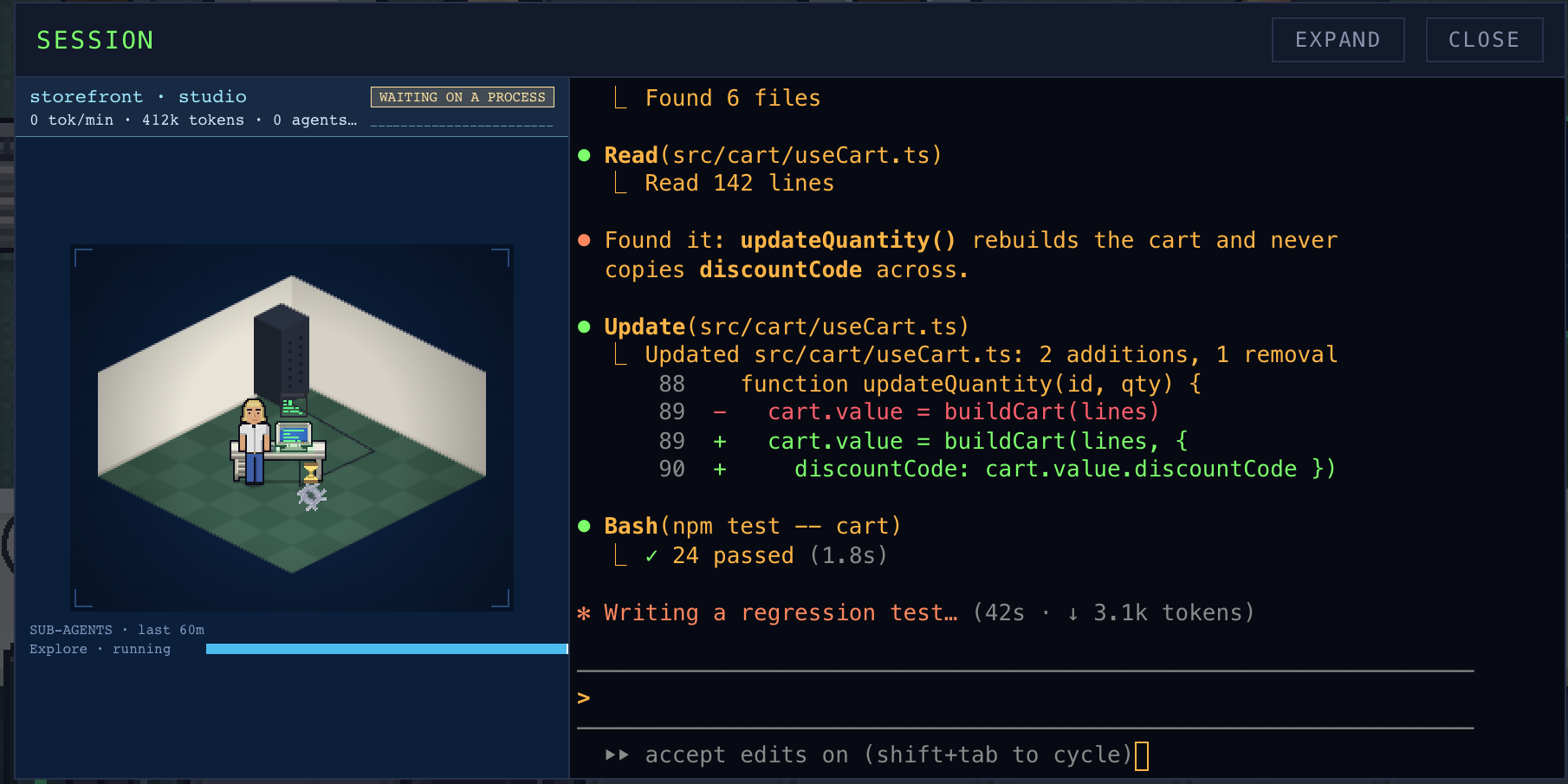
How to run parallel Claude Code sessions
Four habits that make parallel agents work.
Give each session its own working copy
Two sessions editing the same checkout will step on each other. Use a git worktree (git worktree add ../my-app-feature -b feature) or a separate clone per session, so each one has its own branch and files.
Name sessions after the job
Rename each session for the task it is doing. When five are running, "fix checkout bug" tells you far more than a project folder name.
Keep the waiting ones moving
A parallel session that is waiting on you is not working. Answer the raised hands first, then check in on the busy ones.
Watch two in one repo
When two sessions work in the same project, Uncanny Office has one walk over to the other's desk now and then: a hint that they may be editing the same files.
Live demo · nothing to install
Take the office for a spin.
This is the real app running in your browser against a made-up office. Click a worker to open their session, read a terminal, look through the jobs. Nothing here touches your computer.
Made-up sessions on made-up machines. Open it full screen ↗
Early-access price · one-time purchase
Buy it once. Keep it.
$20
Uncanny Office is in beta. The early-access price gets you every beta build now and 1.0 when it ships, on one license key for your devices. It goes up at launch. No subscription, no seat fees.
- macOS, Windows and Linux apps
- One key for up to 2 of your computers
- A 7-day free trial on every install
- Every beta build, then the 1.0 release
- Every 1.x update after that
- Email support
Secure checkout by Stripe. Your key arrives by email and on the next screen.